Your systems. Connected.
Agents and rules move specific workflows between your CRM, inbox, ERP and calendar, with permissions and handoffs set by your team.
CalendarNew patient booked
External API
Blocked
Readin context
Routed




Decisions about money and policy.


The same steps, every time.




Reads it and acts in the next system.
Intake file prepared
On hardware you own.
Connected operations
Every system. One flow of work.
Agents and rules sit between the systems your company already runs. They pick up the work where it arrives, act on it in the next system and record it in the one after. The order, the date and the customer record stay in step.
- CRM
A deal is marked won.
Rule: Opens the order in the ERP, books the kickoff in the calendar and sends the welcome email.
- ERP
- Calendar
- Inbox
- Inbox
A supplier writes that a shipment is late.
Agent: Finds every affected order, moves the delivery dates and writes to each customer.
- ERP
- CRM
- Inbox
- Calendar
A customer misses a booked visit.
Rule: Reopens the slot, updates the CRM record and sends a rebooking link.
- Calendar
- CRM
- Inbox
- ERP
Invoices arrive for last month’s orders.
Agent: Matches each invoice to its order, posts the matches and lists every mismatch in Slack with the documents attached.
- ERP
- Slack
How we get there
Start with one working workflow.
Connected operations are a long-term build. They grow one system at a time, and each step runs in production before the next one starts.
Audit
We compare workflows your team already does well, weigh benefits, implementation and running costs, and trade-offs, then recommend where to start. You receive a prioritized opportunity analysis with assumptions and estimated net present value.
First workflow
We ship the workflow where the map shows the clearest win, wired into every system it touches, and run it in production.
System by system
Each new system joins the same agents and rules. The map grows, and more of the company runs on its own.
Maintain
Maintenance is ours: tuning, fixes, model upgrades and new connections as your tools change. We keep owning it, or we help you set up an owner in-house.
Where it runs
Managed by us, or kept in-house.
The same agents, rules and maintenance either way. What changes is where inference happens, who owns the machine and who holds the logs.
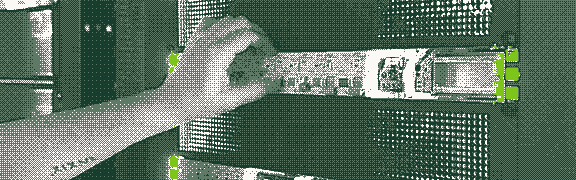
What on-premises adds
Model requests stay local.
Every model call is served locally, with no external endpoints and no third-party inference. Once deployed, it can run fully air-gapped.
Hardware sized to the workload.
We specify the machine against what the audit found: how much runs at once, how long the documents are, how fast answers come back. You buy it, we configure it, you own it.
Models chosen for your workload.
Open-weight models under a licence your legal team reviews first, swapped when a better one lands. No per-call metering.
The log stays with you.
Every agent action is recorded on your side, to inspect, export and keep with your own tooling.
What you get
A finished system, live in your own tools.
Everything the engagement leaves behind, on either deployment.
A prioritized opportunity analysis.
A workflow shortlist with benefits, full costs, trade-offs, estimated net present value, and a recommendation on where to start.
Agents and rules, wired in.
An agent where the work needs reading and judgement, a rule where the answer must come out the same every time, wired into each system the workflow touches.
Maintenance, for the long haul.
Tuning, fixes and updates as your systems change, done by us or by an owner on your team. On-premises, it all stays on your side of the wall.
Training and handoff.
Your team learns to run, tune and extend it, with documentation and runbooks.
A few practical questions.
Will it fit what we run?
Do we have to replace the systems we already use?
No. Everything connects to the systems you have now, and your team keeps the tools it knows.
Our tools are old, or built in-house. Can you still connect them?
Usually. The audit checks every system for a way in: an API, an export, a shared inbox, a database we can read. Where there is no clean way in, the map says so before anything gets built.
Where do we start?
The audit compares candidate workflows, benefits, full costs, trade-offs, and estimated net present value, then recommends where to start.
Who keeps it running?
Do we have to hire people to keep it running?
Usually not. Maintenance is ours for as long as you want it. If you would like an owner in-house, we help you set one up, with the runbooks and training to go with it.
What happens when one of our systems changes?
We update the connection. A new field, a new version, a tool you swap out: keeping the wiring current is part of maintenance.
Can our data stay inside?
Could all of it run on our own hardware?
Yes. Everything in the managed deployment can run on a machine you own, sized to the workload during the audit.
Whose AI is actually running in there?
Open-weight models, chosen against your workload and your hardware during the audit. We name the model in the proposal, because the best choice changes as new models come out. Whatever we deploy, the weights sit on your machine and the licence is one your legal team can read.
Could it run with the internet switched off completely?
Yes. Once deployed, the on-premises system needs no internet connection. Updates can be applied by hand from portable media where the network is genuinely closed.
How do we know we need on-premises?
Usually because the answer to “can this data leave the building” is no. If it can, the managed deployment is simpler, and we will tell you so.